Automotive UX Analysis of the Acura MDX.
A UX evaluation of display hierarchy, physical controls, and safety-critical feedback.
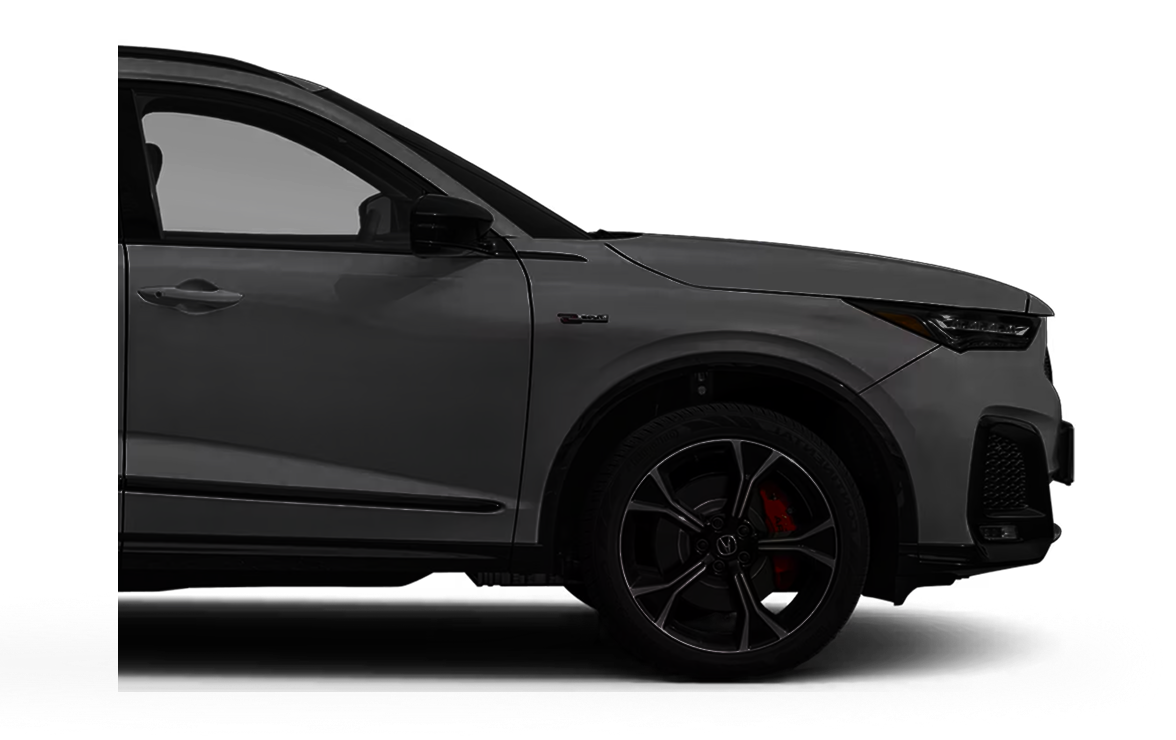
This independent review examines how the 2023 Acura MDX communicates risk and system state across displays and physical controls.
I focused on cameras, alerts, ADAS, steering controls, and drive modes to understand how feedback supports calm, predictable interaction.
A real-world ecosystem where ADAS, multimodal input, and safety-critical feedback converge.
The Advance Package combines ADAS, surround-view sensing, a HUD, adaptive braking, and coordinated displays—useful for studying trust, attention, and control in real driving.
This is an independent UX evaluation, not work completed for or with Acura.
Four surfaces, one coordinated information layer.
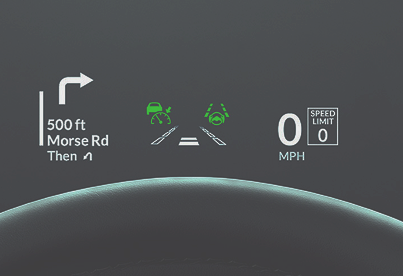
HUD
The HUD keeps speed, navigation, and ADAS status in the driver's sightline with restrained, consistent placement.
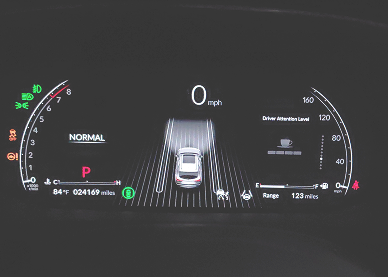
Cluster
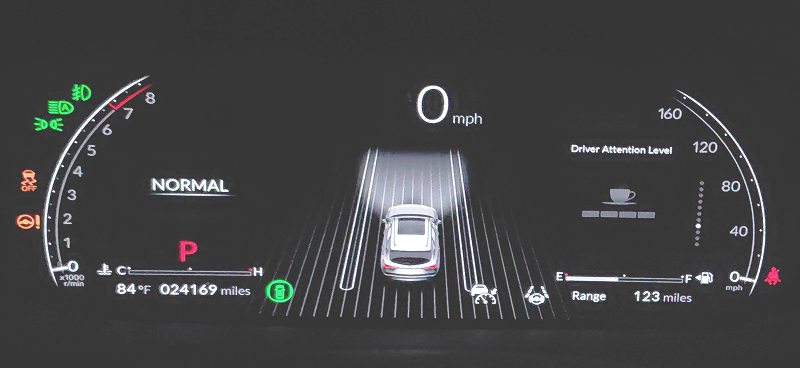
The cluster uses color and icons to combine speed, modes, ADAS feedback, and alerts, confirming state changes immediately.
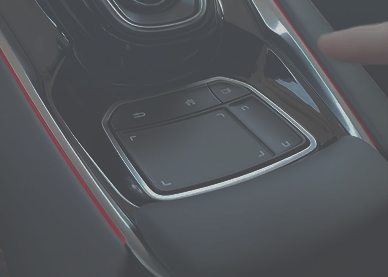
Touchpad
The position-mapped touchpad supports interaction by feel but trades first-use discoverability for learned precision.
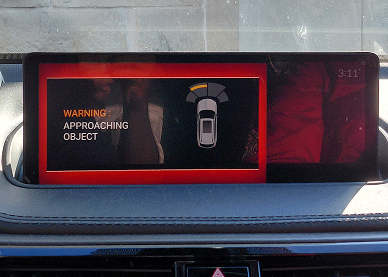
Central Display
The central display handles navigation, cameras, settings, and modes; safety alerts override secondary content with clear color coding.
The vehicle can start through AcuraLink, the remote, or manually. Closing the driver door activates the cluster, ambient light, and start sound.
Observation: Multiple attempts to fire up the engine before the initial process completes can stall the car. In testing it would not start, and no reason was surfaced to the driver.
The hierarchy keeps driving primary: critical information stays glanceable, while secondary tasks use the center display and touchpad.
Safety alerts override other content. The hierarchy is driving first, awareness second, interaction third.
How each surface communicates risk, intent, and state.
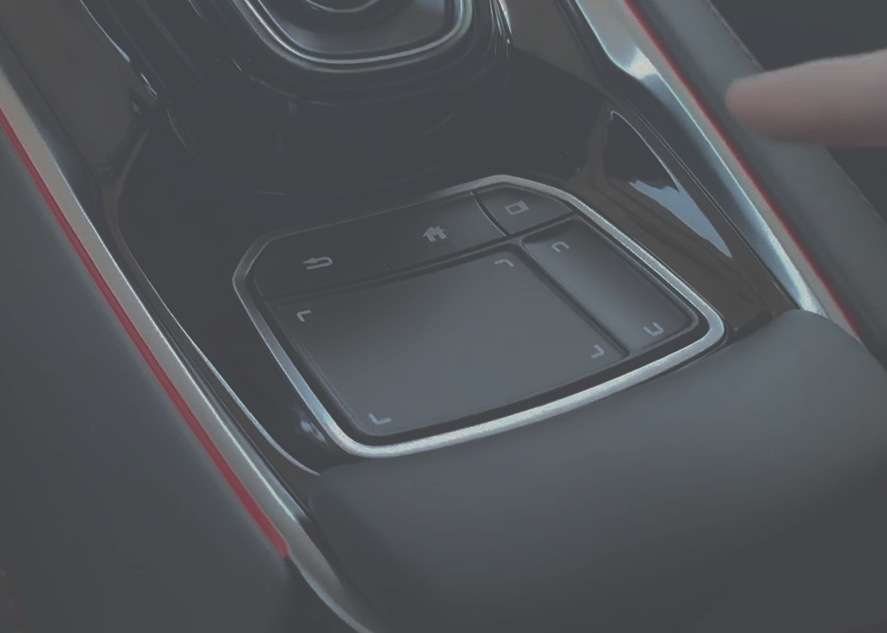
Touchpad on the Center Bridge
Allow drivers to control infotainment on a non-touch display with minimal distraction while driving.
The Acura MDX's absolute-position touchpad maps directly to the center display, reducing arm movement and supporting comfort. Unlike familiar touchscreens, it requires users to map pad to screen positions, raising the learning curve and initial cognitive load. This design favors precision and efficiency for experienced users over easy, glance-based control.
Unlike relative touch input common in consumer devices, Acura's absolute-position mapping prioritizes repeatability and reduced reach over intuitive exploration.
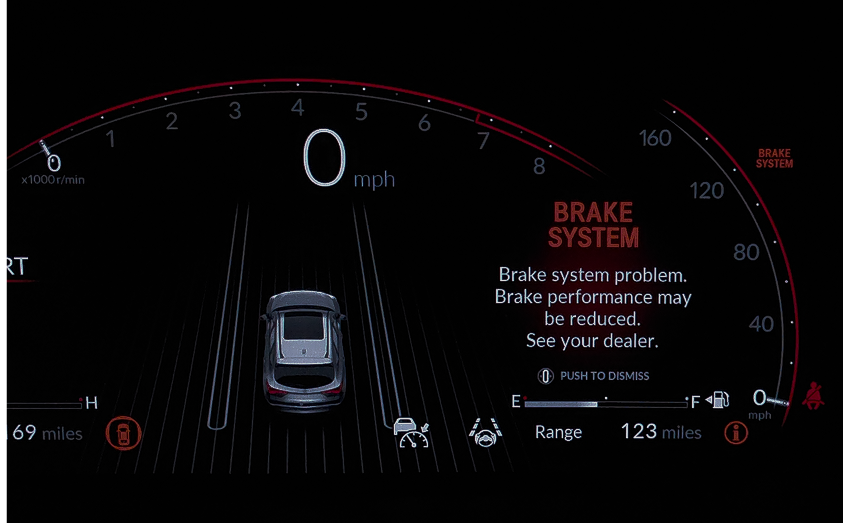
Critical System Error State
Communicate risk, severity, and next steps clearly and unambiguously.
In critical errors, the Acura MDX cluster displays a clear red warning with system risk and next steps. Alerts identify the issue, impact, and action — avoiding jargon to keep drivers calm and informed.
The restrained use of red ensures critical alerts are not visually diluted by frequent warnings, preserving their authority when they appear.
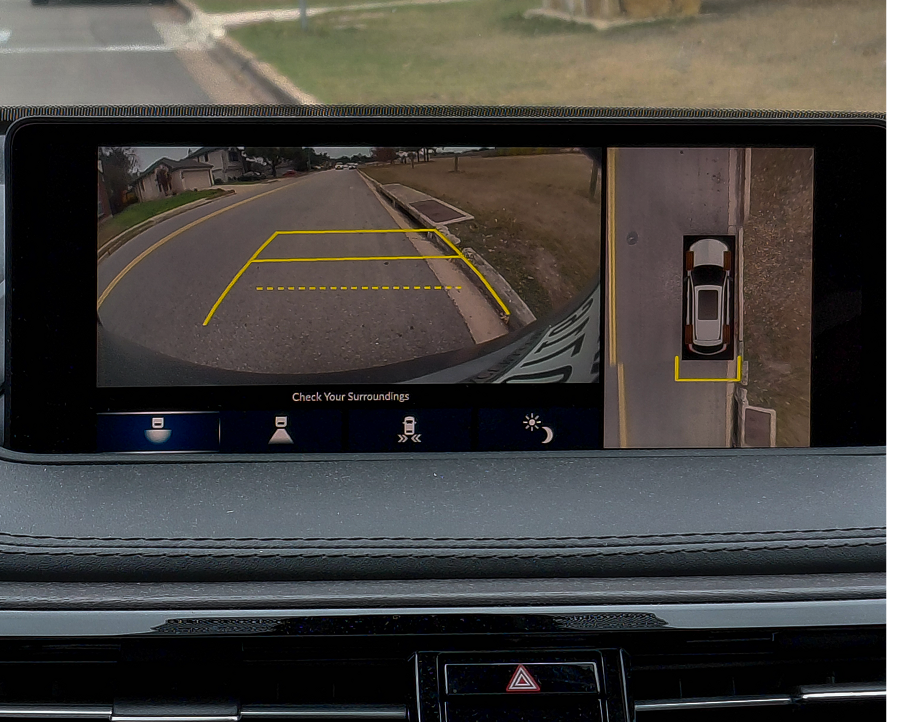
Reverse Camera System
Enable safe, low-speed maneuvering in reverse by extending the driver's spatial awareness beyond direct line of sight.
The MDX reverse camera aids low-speed maneuvering with dual views — real-world and top-down. Dynamic guidelines help planning but maintain driver control, while clear visuals and reminders discourage overreliance on automation.
The design emphasizes clarity and confidence, reflecting the vehicle's calm UX philosophy.
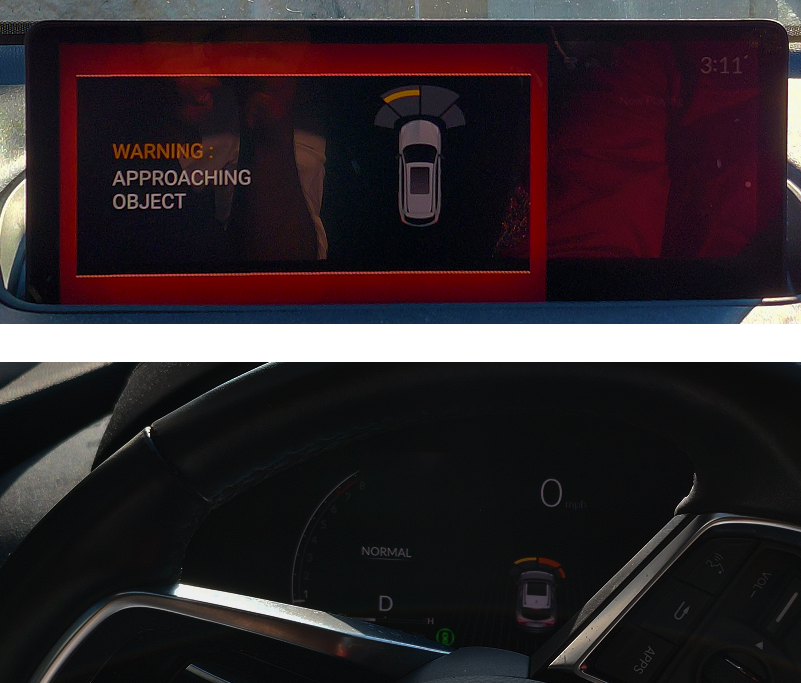
Proximity Alert + Automatic Braking
Warn the driver of nearby obstacles during low-speed maneuvers and intervene only when the risk of contact becomes imminent.
The system layers a visual proximity warning on the central display with synchronized audio cues, escalating to automatic braking when an object enters the critical zone. The handoff between warning and intervention is staged so the driver always has time to react first.
Automation is positioned as a backstop, not a substitute for driver attention.
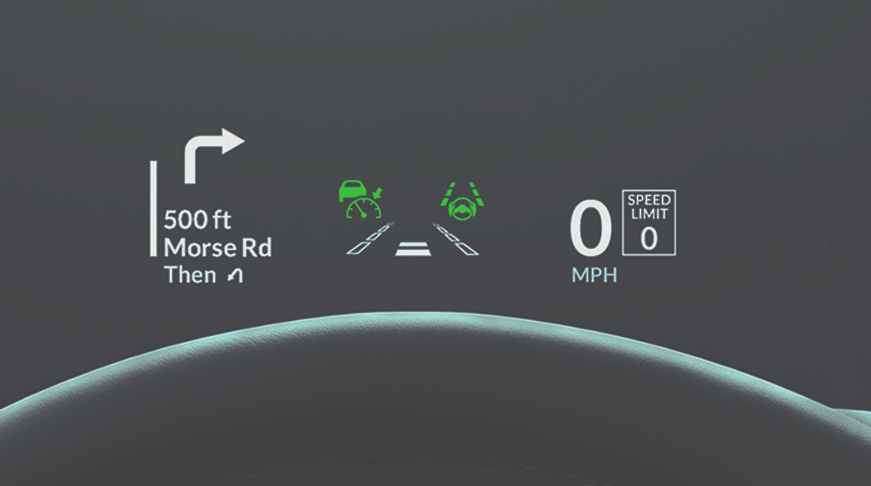
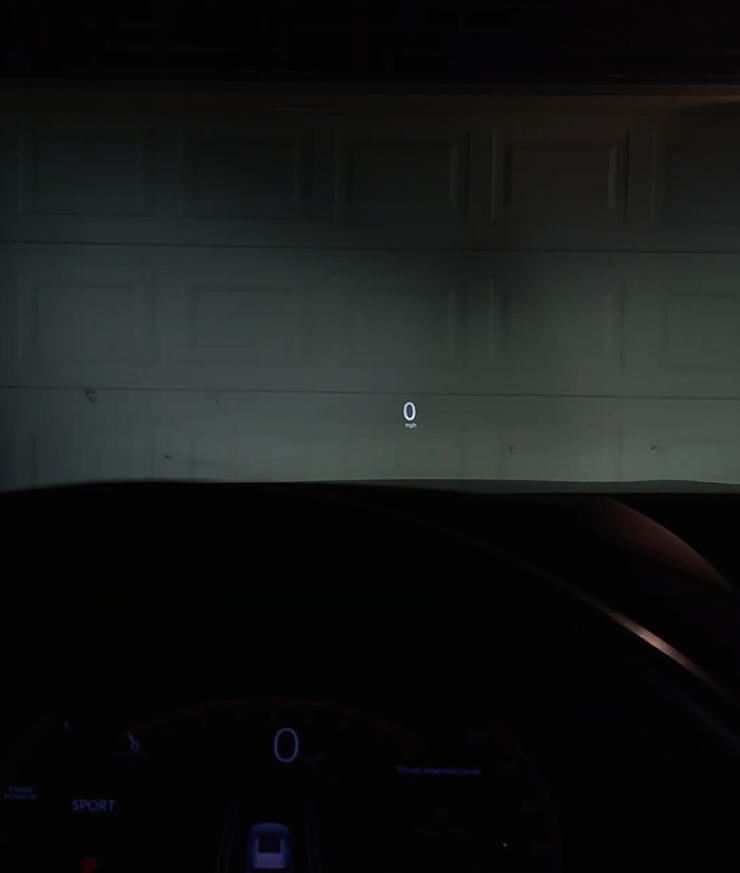
Head-Up Display (HUD)
Keep the driver's eyes on the road by presenting the most critical, time-sensitive driving information directly within the forward line of sight.
Speed, turn-by-turn cues, lane keeping status, and speed limits are projected at a comfortable focal distance. Information density is intentionally low so that a single glance is sufficient — the HUD never competes with the windshield view.
Steering Wheel Controls
Enable the driver to control high-frequency driving, assistance, and media functions without removing hands from the wheel or eyes from the road.
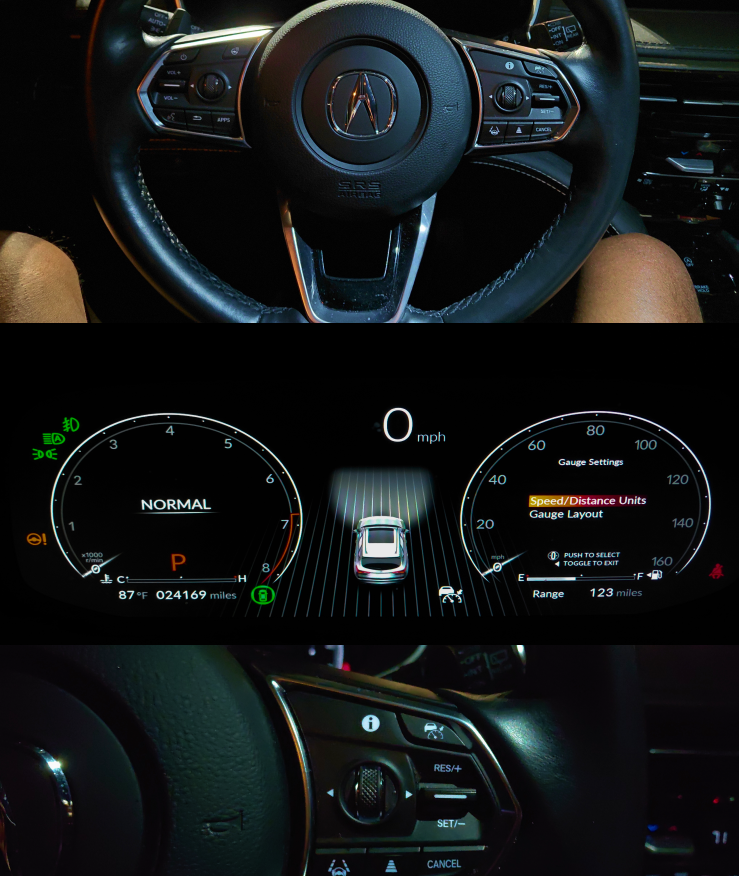
The steering wheel uses a clear left–right functional separation to distinguish media interaction from vehicle and driver-assistance control. Step-based scroll wheels provide tactile and auditory feedback for each discrete input, enabling eyes-free navigation of menus and settings.
Redundant media control via the center trackpad lets the same function be performed with different interaction costs depending on driving context.
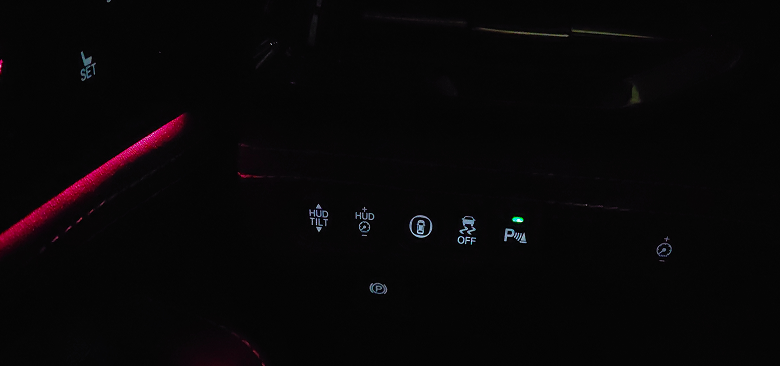
Left Driver Control Panel
Configure or fine-tune vehicle behavior before or after driving, not during active motion.
The left-lower control cluster uses icons and subtle placement for infrequently used vehicle settings, intentionally making them less prominent to reduce distraction while driving. This separates setup from driving controls, prioritizing long-term stability over immediate clarity.
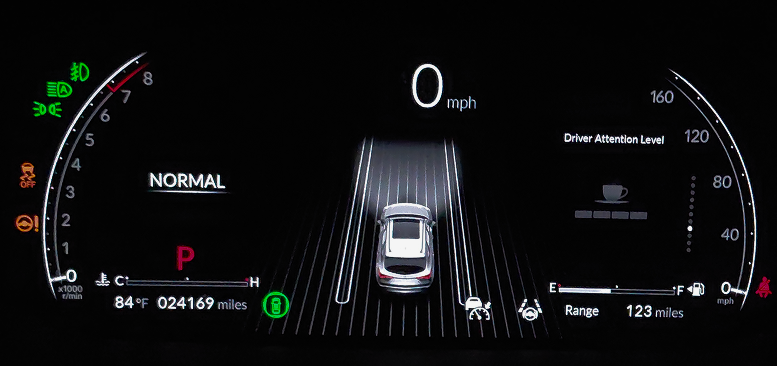
Digital Instrument Cluster
Confirm what is active, what is off, and what the system believes is happening — without requiring the driver to look elsewhere.
The MDX centralizes system feedback in the instrument cluster, making it the main reference for vehicle status. Low-visibility controls show their states in the cluster, reducing confusion and cabin clutter.
Drivers always know where to check system status — there is one source of truth.
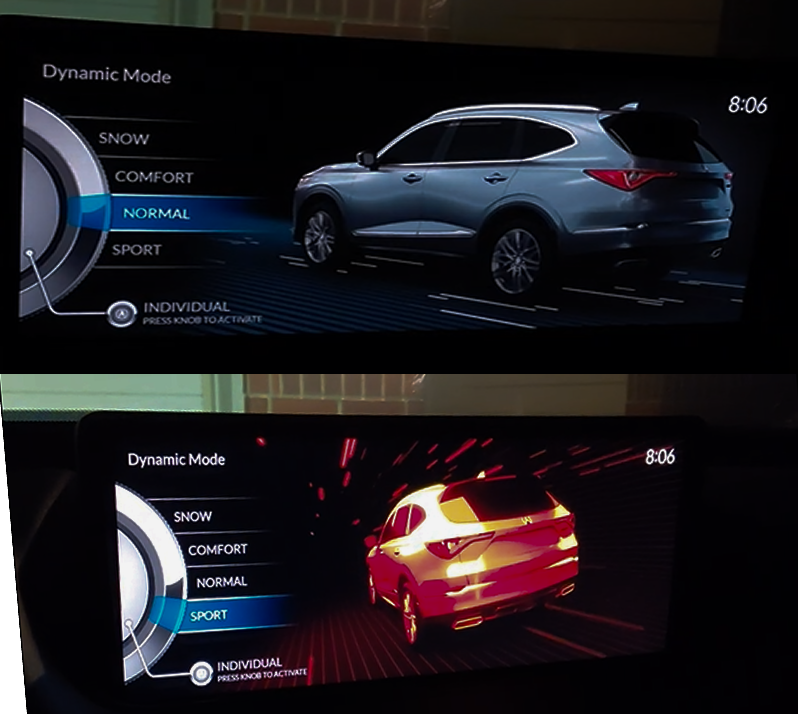
State-Based Driving Experience
Enable the driver to quickly adapt vehicle behavior to driving conditions or personal preference, with immediate and unambiguous feedback confirming the active mode.
A rotary drive-mode controller switches between Sport, Comfort, Normal, Snow, and Individual. Individual mode requires a deliberate press to activate or customize, reducing accidental changes. Mode selection happens on the center display while authoritative confirmation lives in the cluster.
Separating selection from confirmation supports clarity, confidence, and safe in-motion interaction.
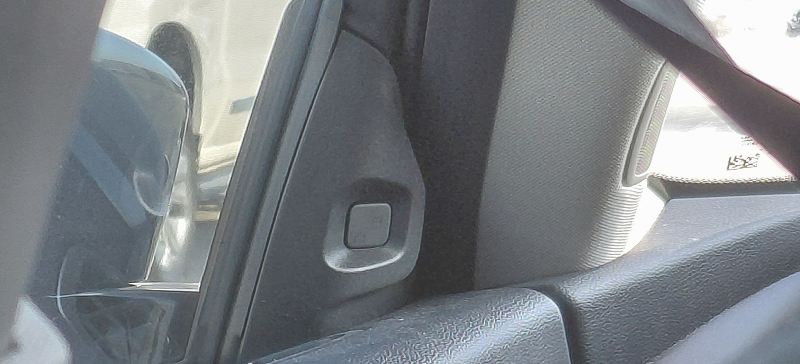
A-Pillar Blind Spot Indicator
Alert the driver to a vehicle in the blind spot without pulling attention away from the road.
The 2023 MDX uses only visual feedback for blind-spot detection, placed in the driver's peripheral view, and skips audio alerts. This non-intrusive design reserves sounds for urgent situations. Though not obvious to first-time users, it reduces startle effects and builds driver trust during lane changes.
Trust Calibration Using Color
Set user expectations without making them dependent on the system to intervene.
Amber indicators in the instrument cluster communicate driver-assistance systems that are disabled, unavailable, or manually turned off. Rather than hiding inactive systems, the MDX maintains visibility using a non-alarming color — helping calibrate trust by clearly signaling when assistance should not be relied upon.
Effective automotive UX often feels invisible.
The system favors predictability and restraint, surfacing critical information only when needed.
Color, placement, and escalation reinforce the hierarchy: driving first, awareness second, interaction third.
Onboarding could close the learned-behavior gap.
The touchpad and blind-spot indicators depend on learned behavior, creating friction for first-time users.
Brief contextual guidance could reduce that learning curve without changing the calm interaction model.
Evaluating a production vehicle's UX in real-world driving — how safety interactions and multimodal feedback shape driver behavior.
The review shows how information hierarchy, feedback, and control placement shape clarity and trust across a production vehicle.